Logitech sensor integrates with 10 platforms for smarter office environments
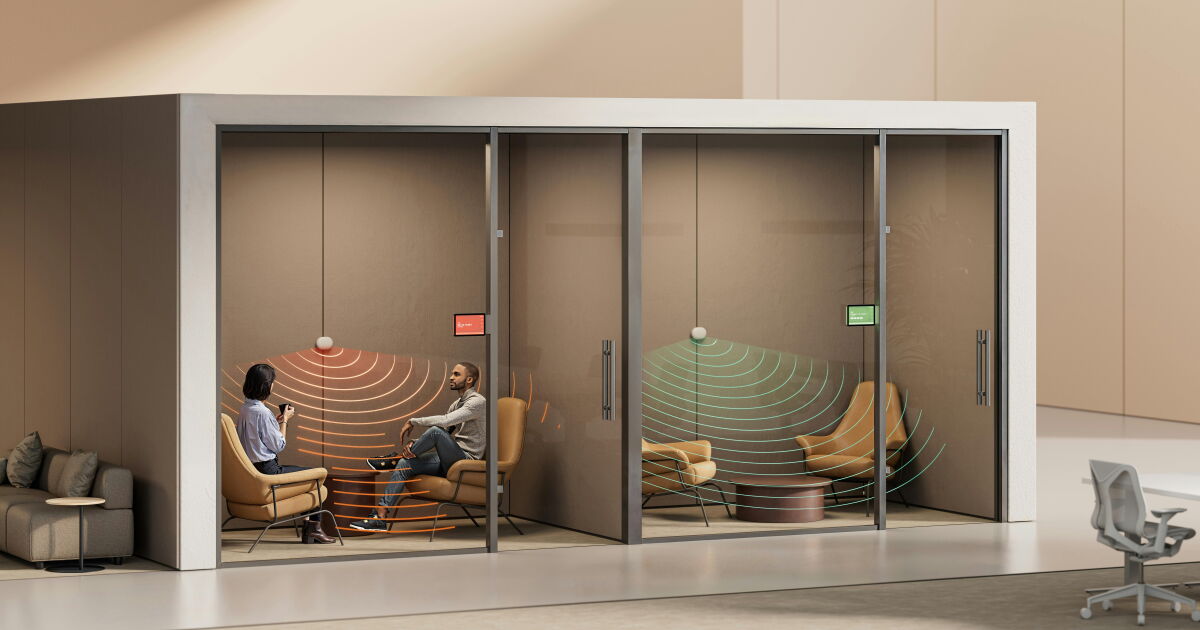
Logitech’s Spot sensor looks set to take on a much bigger role in the smart office. The latest update adds integrations with 10 work platforms, allowing this compact module to feed its room occupancy and environmental readings directly into the systems companies already use to manage rooms and buildings.
Instead of locking readings within a separate dashboard, these platform connections allow third-party software to trigger automated rules based on real-time meeting room activity, check people into reserved spaces, predict which days are likely to be busy or quieter, and even flag issues with indoor air quality.
The Spot hardware itself hasn’t changed. What’s different is the way it now connects to office management infrastructure, turning regular workplaces into spaces that can dynamically respond to the people inside them.
Logitech
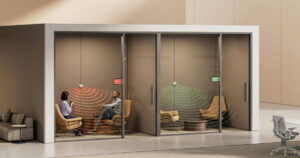
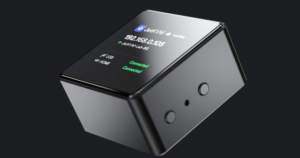
Spot essentially serves as the office’s sensory layer. Its mmWave radar can detect presence from up to 8 m (about 26 ft) away, while separate sensors track temperature, humidity, CO2, volatile organic compounds, particulates and air pressure. This means that a single unit can monitor how a space is used and what the environment is like inside.
Logitech Sync divides these readings into three categories: room utilization, room status, and room energy. New integrations can now also bring these insights to external workplace platforms.
That’s where Spot becomes more tangibly useful on a day-to-day basis. Appspace, Robin, and Zoom can use Spot presence data to automatically reserve a room when someone walks in, check people into scheduled meetings, or free up spaces that happen to be empty. This should help reduce “ghost meetings” (meetings that are scheduled but end up canceled or moved to a video call) and make the entire process a little less complicated.
Planon, Spaceti and VergeSense take a broader view. They combine occupancy trends with floor plans and reservation data to forecast high-traffic days and map underutilized areas. In practice, this gives facility teams accurate real-time visibility without having to physically walk up and take a look at a supposedly occupied space to check if it is actually in use.
Logitech
Some of the other integrations also give Spot a use case beyond room scheduling. Q-SYS can pull environmental, occupancy, and meeting status readings from Logitech devices to your AV and room control platform, where those readings can drive custom monitoring and automation. Similarly, Extron, Utelogy, and Xyte can bring point-in-time telemetry to broader device management dashboards, giving IT teams a single, unified view of room usage, environmental conditions, and equipment status.
Spot temperature and air quality readings can also be displayed on office maps, mobile apps, or idle room screens. As an employee, this could help you choose the most comfortable available space (when there are several vacant rooms). Utelogy can even share spot telemetry directly with enterprise AI tools, while Logitech Sync’s energy insights can suggest changes you can make to temperature or ventilation to improve overall efficiency.
The setup is pretty simple and was clearly a deliberate choice. Spot uses a peel-and-stick wall mount, connects via Bluetooth to compatible Logitech CollabOS hardware or via a LoRaWAN gateway. The device lasts up to four years with a replaceable battery, with USB-C power available for permanent installations.
The sensor costs $499 and is available worldwide. However, to access some of the more advanced automations, APIs, and Sync Insights, you’ll need a subscription to Logitech’s paid service plans. Sync Plus starts at $49 per room per year, while the company’s Auto Book and Auto Release features are found in its Essential and Select tiers, which cost $199 and $399 respectively.
Source: Logitech
Note: New Atlas may earn commissions on purchases made through links



Post Comment